
How to do a Secret Santa
Organize the draw online and for free in three steps, from the web or with the app for iPhone and Android.
Draw names in your browser
Nothing to install, on your computer or your phone. Each participant gets their result by email.
-
Create the group
Give it a name and, if you like, add the date, the budget and a message for everyone. You take part too.
-
Add the participants
Type each person's name and email, or share the group invitation so they join from the app.
-
Draw names
Once there are three or more of you, check the list and draw. Nobody draws their own name.
After the draw
-
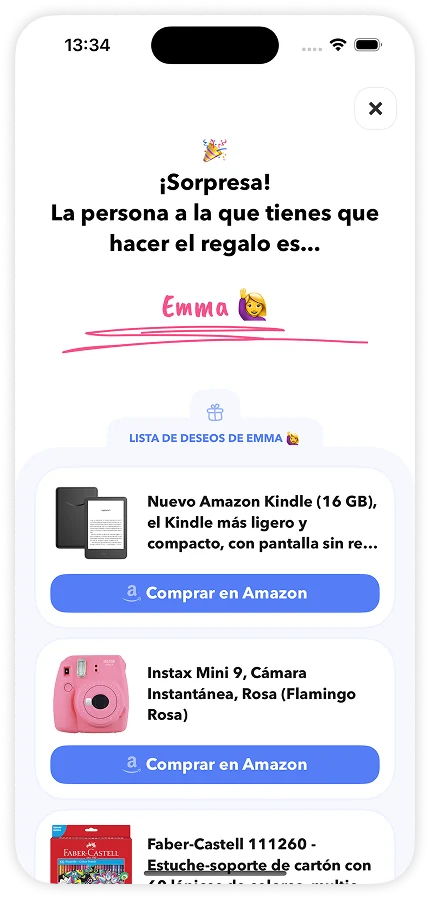
Everyone gets their result
They get an email with a private link to see who they're giving to. No sign-up needed.
-
Wishlists
Each participant can jot down gift ideas, and their Secret Santa sees them next to their result.
-
You know who has seen it
On the group page you see who has opened their result and who hasn't.
-
You can redo it
If you make a mistake or someone's missing, invalidate the draw from the group options and do it again: the previous results are deleted.
Draw names with the iPhone and Android app
Draw names from your phone, with options the web doesn't have.
-
Create the group
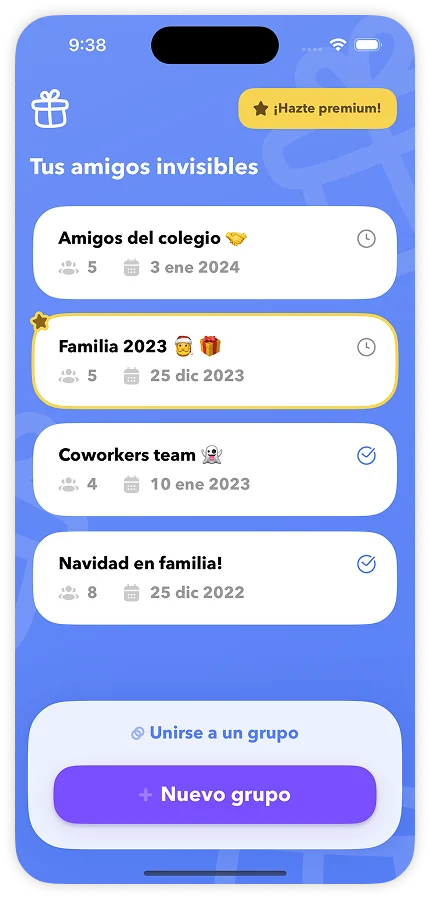
Download the app and create the group: its name, the event date, the budget and a message for everyone.
-
Add the participants
Share the invitation so they join from their phone, or add them yourself with their name and email.
-
Draw names
Once everyone's in, draw. Each person sees who they're giving to in the app or by email.
Download the app
With more options: participants without email, exclusions and private results via WhatsApp, Telegram or Messages.
Only in the app
-
Participants without email*
Add anyone with just their name.
-
Results via WhatsApp*
Send each person their result via WhatsApp, Telegram or Messages.
-
Exclusions*
Stop someone from getting their partner, or anyone you choose.
-
Changes after the draw*
Fix a participant's email and send them their result again.
* Only in premium groups.
Frequently asked questions
Is it free to organize a Secret Santa?
Yes. Creating the group, adding the participants and drawing names costs nothing.
Do participants have to sign up?
No. When you draw names, each participant gets an email with a private link. Opening it shows who they're giving to, and they can set up their wishlist.
How many people do you need for a Secret Santa?
At least three, counting the organizer, who takes part too. Nobody draws their own name.
What if I make a mistake or someone's missing?
Before the draw you can edit or remove participants. If you've already drawn, you can invalidate the draw from the group options and redo it: the previous results are deleted.
What if someone doesn't have an email?
With the iPhone and Android app you can add participants without an email and send them their result via WhatsApp, Telegram or Messages.
Can I stop someone from getting their partner?
Yes, with exclusions between participants. They're available in the app's premium groups.
How do wishlists work?
Each participant can jot down what they'd love to get, with a link to see or buy it if they like. Their Secret Santa sees that list next to their result.
How do I get back to my group?
Go to My groups with the email you used to create it and we'll send you an access code: no passwords to remember. If you're a participant, use the link in the email with your result.
Got another question? Write to us at hello@bocadil.com.